See SemanticHub in action2:08

Publish expert content
without checking sources
every day.

SemanticHub monitors selected sites, identifies topics that matter to your readers, and turns them into source-backed articles ready for editing.

For expert sites and small editorial teams.

Beta programme

Build your first workflow before launch.

Join the SemanticHub beta and test your own sources, agents, and publishing process on a real goal.

MCP

Working in Claude, ChatGPT, Cursor or VS Code? Connect your assistant to SemanticHub goals, sources and results.

Connect your assistant
Mobile app

Publish before the story passes you by.

Your post is ready, but a competitor publishes while you're away from your desk. Download SemanticHub from Google Play and keep things moving. Read, edit and approve wherever you are.

  • Ready-to-review posts with sources and source consistency checks.
  • One tap to approve and send to your CMS or email.
  • Push notifications only when something needs your attention.
Get it on Google PlayFree download. No in-app purchases. Same SemanticHub account.
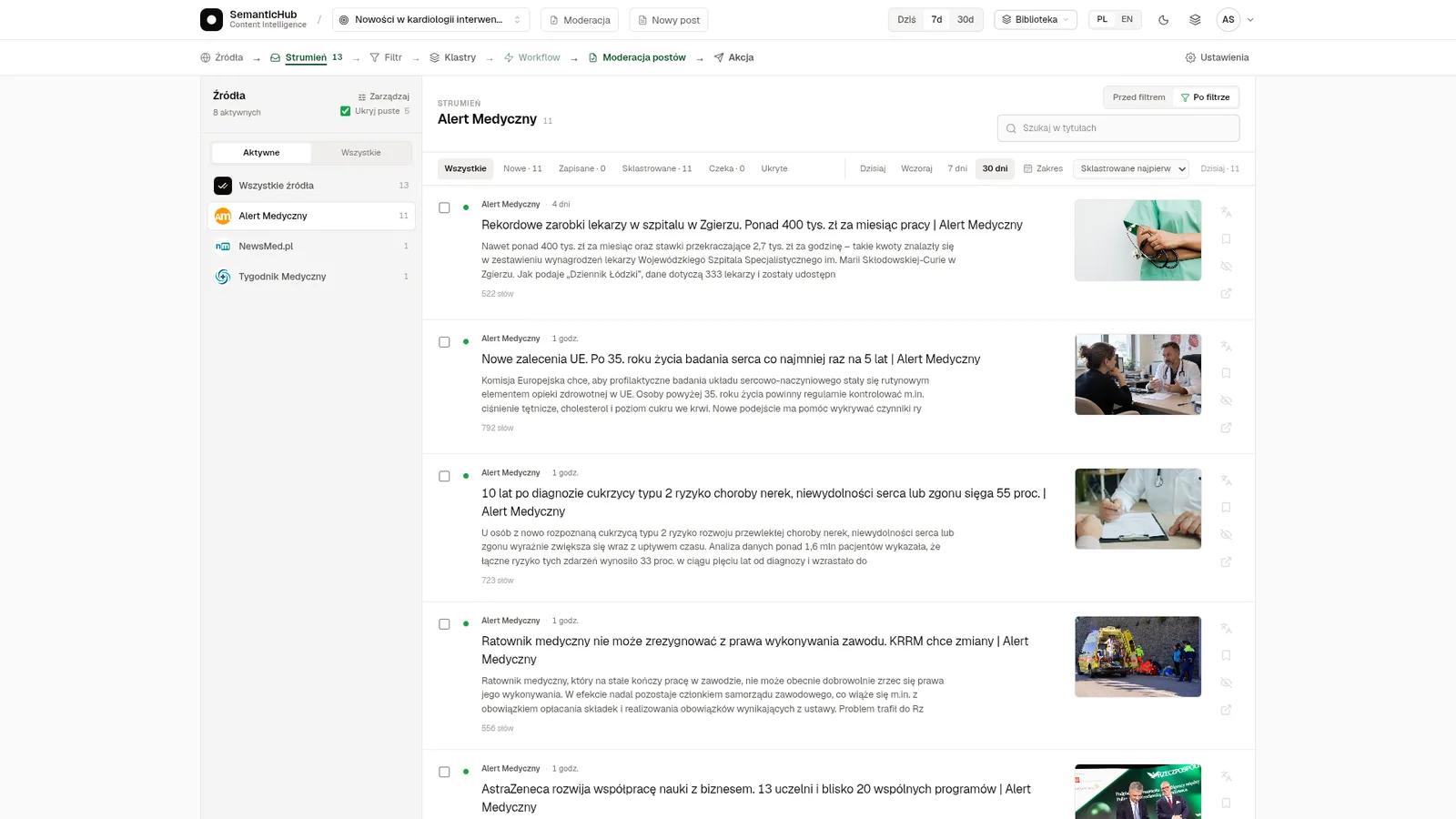
SemanticHub in the browser: a goal’s article Stream with the source list
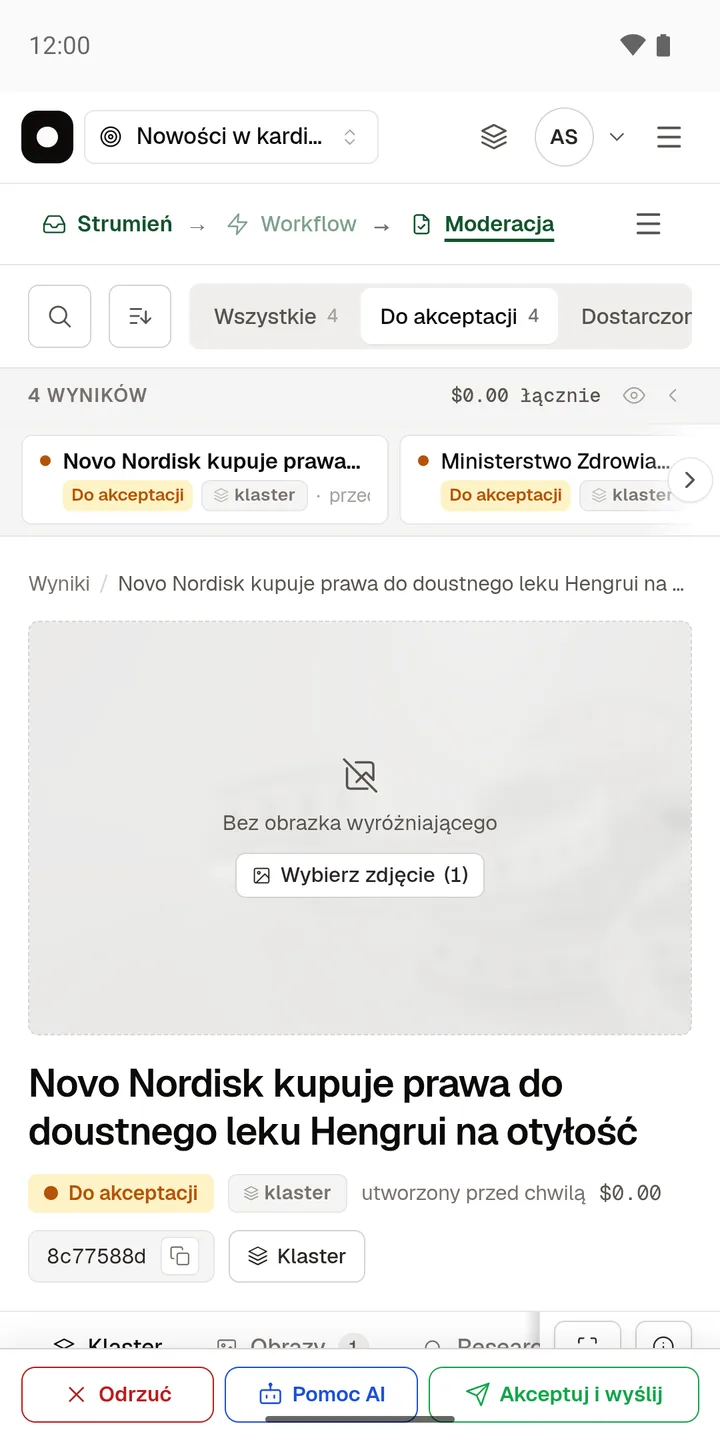
SemanticHub on Android: a post awaiting approval with Reject and Approve and send buttons
How does SemanticHub work?

A workflow that works.

A strong topic rarely fits inside a single article. You need to find it across several publications, remove repetition, and verify the sources. SemanticHub does this continuously, so your work starts with material worth developing instead of another list of links.

01Sources

Choose the places worth monitoring.

Add RSS feeds, sitemaps, or website addresses related to your field.

02Monitoring and filter

New publications pass through your filter.

The system checks sources continuously and only passes material that matches the goal.

03Topic

Related publications become one topic.

Semantic similarity connects material about the same story while retaining every source.

04Workflow editor

Arrange your process on a visual graph.

Connect the trigger, agent steps, and output. Change their order without rebuilding the whole system.

05Workflow agents

Each agent performs its own step.

Choose instructions, a model, and skills for every node. An agent can use the output of earlier steps.

06Result

The workflow assembles the required result.

Agents prepare the required sections, such as body, TL;DR, FAQ, tables, or SEO metadata.

07Work with an agent

Talk to an agent directly over the text.

Ask it to add, rewrite, or remove content. Accept, edit, or reject every proposed change.

08Approval and delivery

Nothing publishes without your decision.

Send an approved result to WordPress, a webhook, email, or a feed. Test workflow runs never deliver.

Result delivery

One mechanism, three ways to deliver.

01
Your own API endpoint

Take the finished material on your endpoint.

The goal POSTs a payload: the cluster, its source articles, the result sections and execution metadata. Authorization header, an idempotency key for deduplication, and retries whenever your server answers with an error.

02
Email delivery

No integration — the result lands in the newsroom inbox.

Enter the addresses, one per line. The finished material reaches them together with its source list, so an editor reads it without signing in.

03
Plugins and ready integrations

A CMS plugin instead of your own code.

WordPress and Wagtail pull finished material from the goal queue themselves and create draft entries — text, sources and image — ready to approve inside the CMS.

In preparation.
Common questions

Answers without ambiguity.

Do I need to provide new topics every day?
No. Describe what the system should look for once and select your sources. SemanticHub regularly checks new publications, keeps relevant material, and groups items that cover the same story.
Where does SemanticHub get its material?
From sites you select. You can provide an RSS or Atom feed, a sitemap, or a website address. The system can detect the appropriate source and suggest sites from its library based on your goal.
Can I trust AI-generated content?
You do not have to trust it blindly. Every result retains its source material. In the Results workflow, you can edit the text yourself or with the agent, inspect proposed changes, and decide what to accept.
Does SemanticHub replace SEO tools?
No. It helps discover and develop narrow topics found in monitored sources, but it does not report keyword volume, analyse search results, or track Google rankings.
Can research and generation run without limits?
No. You set cost limits for both. A single topic cannot trigger unlimited model work, even when new sources keep appearing.
What happens to finished material?
In the Results workflow, it first waits for your approval and is then delivered to WordPress or a webhook. You can also configure a separate direct automation that intentionally skips editorial review.